YABANDPAY · DOCUMENTATION
POS Terminals
View POS card orders, statuses, device details, and refunds; QR code payments are managed under Payment Orders.
Merchants with physical stores can use POS terminals to collect in-person payments. All POS orders sync to the merchant portal in real time for centralized viewing, management, and reconciliation, ensuring that each POS terminal transaction is accurately recorded and tracked.
Payments completed using a QR code displayed on a POS terminal are still managed under Payment Orders.
1. Order List
On the POS payment orders page, you can filter orders using various criteria and export the results as an Excel or CSV file.
The main fields are:
- Date: The payment time.
- Order amount: The sale price, or listed price.
- Order ID/Description: The order ID and description.
- Store/Cashier: The store and cashier account receiving the payment.
- Termina ID: The unique identifier of the POS terminal.
- Status: The current order status.
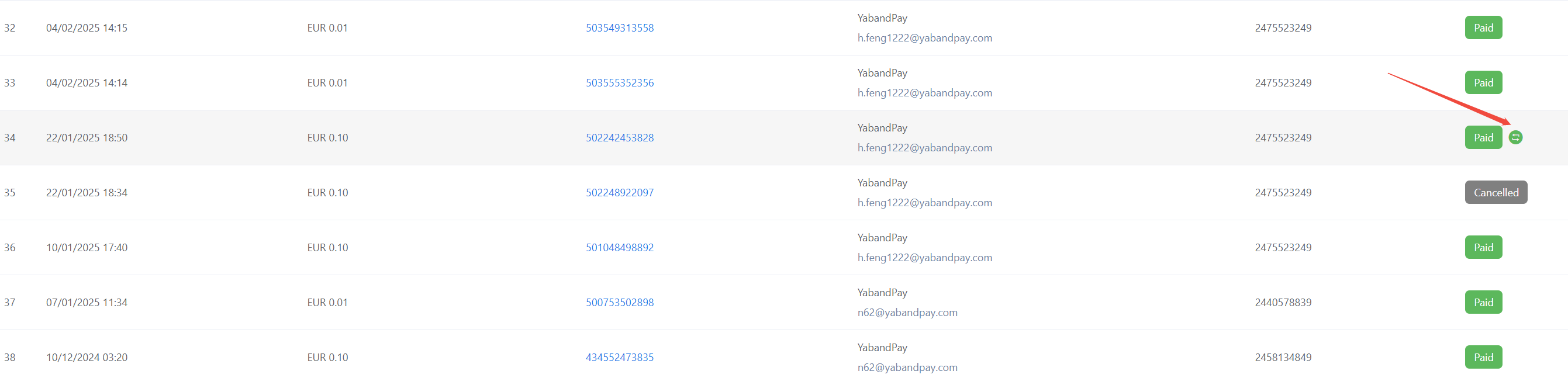
The following icon indicates that a refund has been made. View the order details for more information.
2. Order Statuses
An order is considered successfully paid only when its status is Paid. All other statuses indicate that payment has not yet been made or has not yet been completed.
| Status | Description |
|---|---|
| Paid | The order has been successfully paid. |
| Processing | Waiting for the customer to complete payment. |
| Cancelled | The customer has not paid, and the order has been cancelled. |
| Expired | The customer has not paid, and the order has expired. |
| Verify | The customer has paid, and the order is undergoing a risk review. |
Tip
About the “Verify” status: The review is usually completed within one business day.
- If the order does not pass the review, its status changes to Cancelled, and the system refunds the payment to the original payment method.
- If the order passes the review, its status changes to Paid.
3. Order Details
Double-click any order to open its details and view the complete transaction information, including:
- Date created: The time the order was created.
- Date completed: The time the order was last updated.
- Gross amount: The order amount in the settlement currency. If the order currency and settlement currency are the same, the amounts are the same. Note: The initial amount for credit card orders is 0. The accurate amount is displayed on the day after clearing is completed.
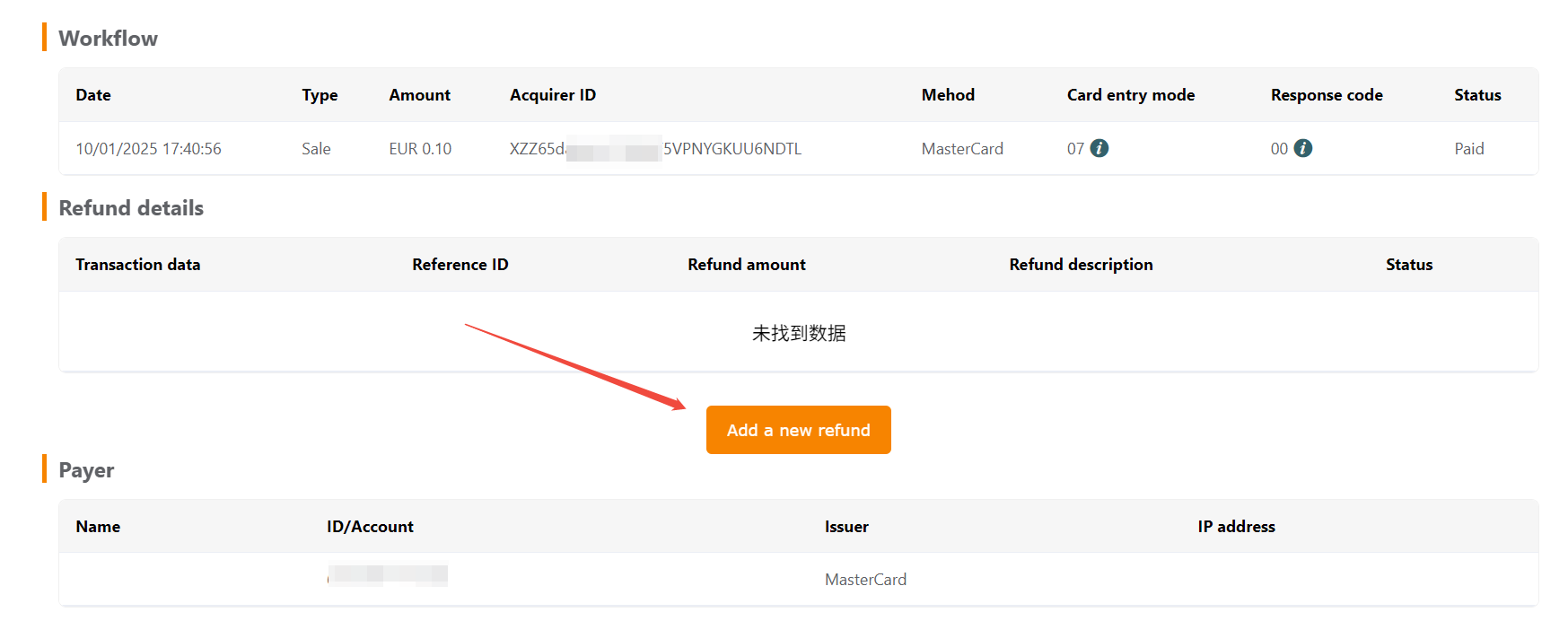
- Workflow: A record of actions performed on the order.
- Refund details: Refund information.
- Payer: Payer information.
- Card details: Card information is displayed for bank card payments, such as Visa, MasterCard, or UnionPay.
- Device informatoon: Information about the relevant device.
You can perform the following actions on the order details page:
- Generate a new payment link for an order with a “Processing” status so that the customer can pay again.
- Download the order details as a PDF file.
- Initiate a refund request.