
YABANDPAY · DOCUMENTATION
Device Management (Devices)
View, add, edit, and delete payment devices, and understand unique identifier and deletion requirements.
In the YabandPay merchant portal, Device Management lets you manage all payment terminal devices in one place. This includes viewing device status, adding new devices, editing device information, and deleting devices that are no longer used.
1. Navigation
In the portal, click “Settings” > “Device Management” in the left-hand menu to open the device management page.
2. Features
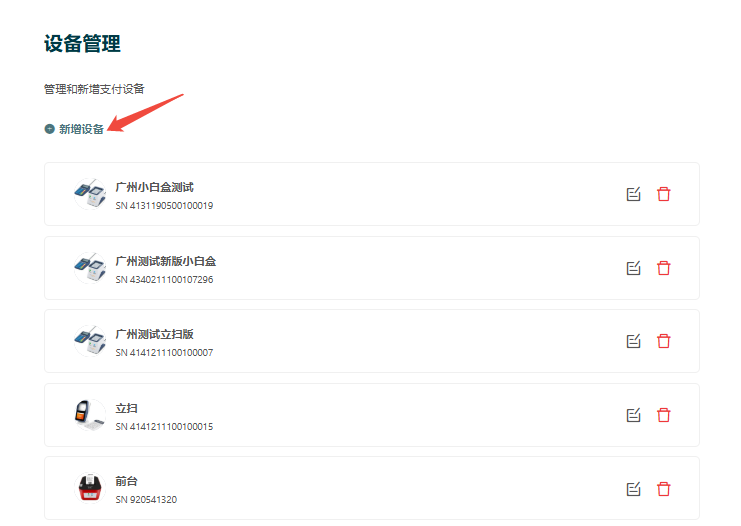
View the Device List
The device list displays key information for all registered devices, including:
- Device type
- Assigned store
- Cashier account
- Payment currency
- Device number
- Enabled status
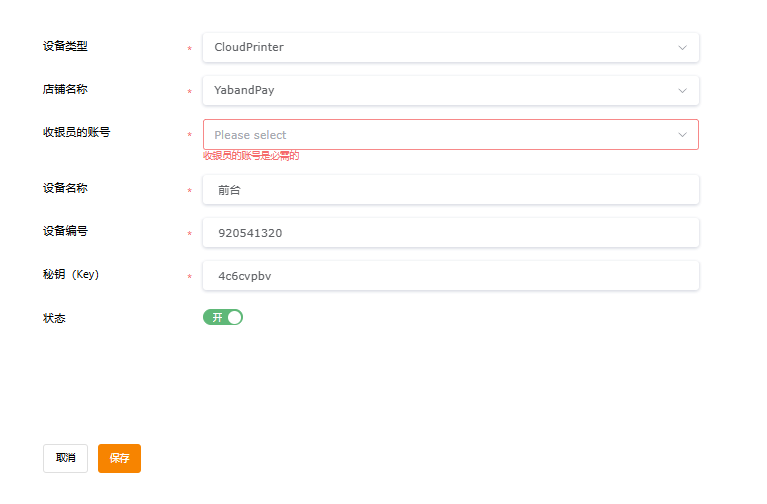
Add a New Device
- Go to “Settings” > “Add Device”.
- Select or enter the relevant information, including device type, store name, Cashier account, device name, payment currency, and device number.
- Click Save. The device will be added to the system and enabled by default.
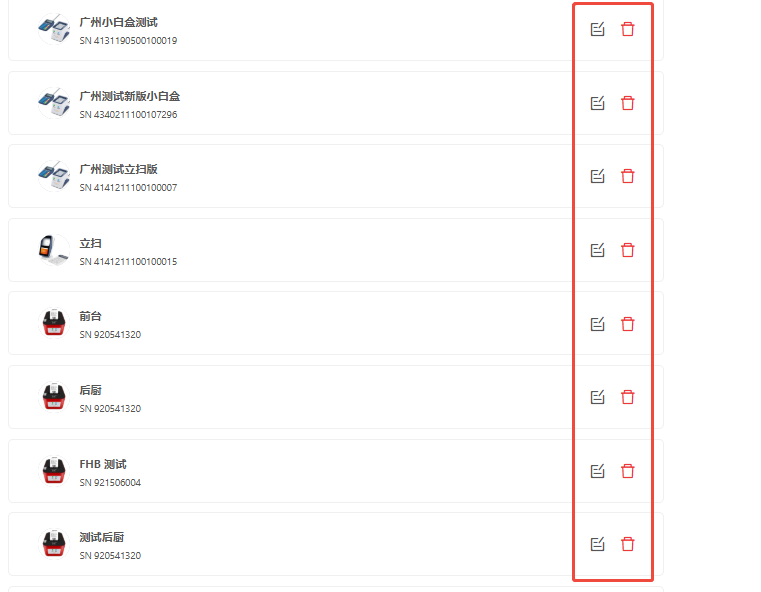
Edit and Delete Devices
- Edit: Click “Edit” to the right of the device to update its information.
- Delete: Click “Delete”. The system will ask for confirmation. Once deleted, the device will be removed from the system and cannot be used for subsequent transactions.
Tip
Notes
Each device must have a unique identifier, such as a device number. Deletion is irreversible, and the data cannot be recovered. We recommend regularly removing unused devices and maintaining appropriate backups.