YABANDPAY · DOCUMENTATION
Account Roles and Permissions
Understand Admin, Operator, and Cashier permissions and how to manage stores and Cashier accounts.
YabandPay offers three account types: Admin, Operator, and Cashier, each designed for different management and operational permission requirements.
1. Admin
As a YabandPay merchant, you have a merchant account. Each merchant account has a unique ID, referred to as the MID, and exactly one Admin account.
The Admin email address is the email address you used when registering.
The Admin account has full management permissions in the YabandPay merchant portal.
2. Operator
Each YabandPay merchant account can have multiple Operator accounts. Operator accounts have full operational permissions in the portal, except that they cannot add other Operator accounts or change the settlement bank account.
Operator accounts must be created by the Admin account as follows:
- Click Settings > User Management.
- Select Add Admin. (The “Admin account” added here is an Operator account.)
3. Stores and Cashier Accounts
Store Management
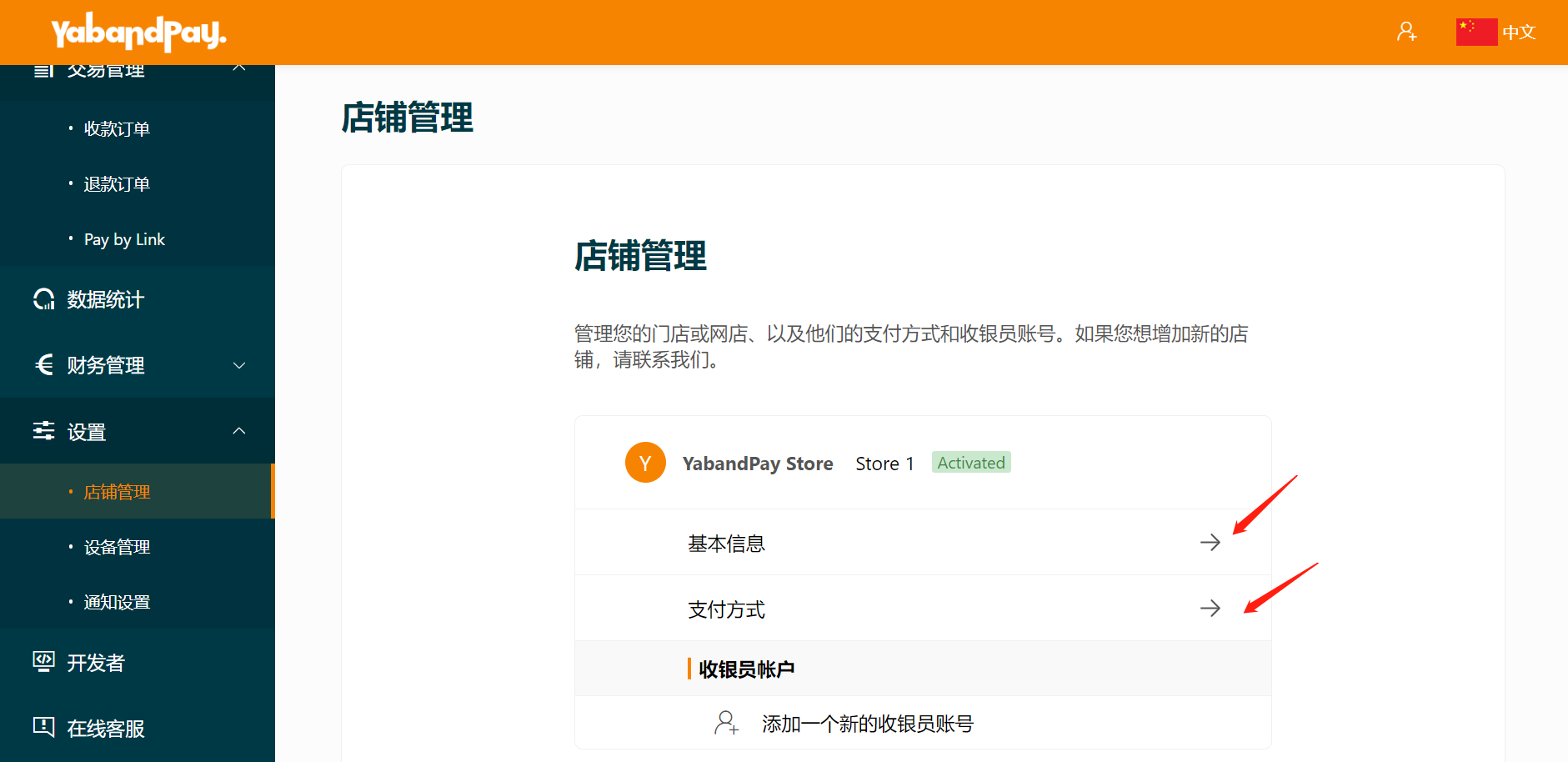
A merchant account can manage multiple physical or online stores, collectively referred to as stores. Merchants can configure different payment methods for each store according to their needs. To add a new store, contact the YabandPay customer support team.
Admin and Operator accounts can manage stores as follows:
- Click Settings > Store Management.
- Click Basic Information to view basic details such as the store name, nickname, address, and order currency.
- Click Payment Methods to manage payment methods, view transaction fees, and configure fees charged to customers.
To add a new store, contact the YabandPay customer support team for assistance.
Cashier Accounts
Each store must have at least one Cashier account to accept payments.
Cashier accounts can log in to the YabandPay merchant portal or the YabandPay App and generate payment links. However, their permissions are limited to viewing and managing transaction details under their own account.
Admins and Operators can manage or add Cashier accounts as follows:
- Click Settings > Store Management.
- Click an existing Cashier Account or Add a New Cashier Account.