YABANDPAY · DOCUMENTATION
Kontorollen und Berechtigungen
Informieren Sie sich über Berechtigungen von Administratoristratoren, Operatoren und Kassierern sowie die Verwaltung von Filialen und Kassiererkonten.
YabandPay bietet drei Kontotypen: Administratoristrator, Operator und Kassierer. Jeder Typ verfügt über passende Verwaltungs- und Betriebsberechtigungen.
1. Administrator
Als YabandPay-Händler verfügen Sie über ein Händlerkonto. Jedes Händlerkonto hat eine eindeutige Kennung, die MID, und genau ein Administratoristratorkonto.
Die E-Mail-Adresse des Administratoristrators ist die bei der Registrierung verwendete E-Mail-Adresse.
Das Administratoristratorkonto verfügt im YabandPay-Händlerportal über umfassende Verwaltungsberechtigungen.
2. Operator
Jedes YabandPay-Händlerkonto kann mehrere Operator accounts haben. Operator accounts verfügen im Portal über umfassende Betriebsberechtigungen, können jedoch keine weiteren Operator accounts hinzufügen und das Abrechnungsbankkonto nicht ändern.
Operator accounts muss das Administratoristratorkonto wie folgt erstellen:
- Click Einstellungen > Benutzerverwaltung.
- Wählen Sie Administratoristrator hinzufügen. (Das hier hinzugefügte „Administratoristratorkonto“ ist ein Operator account.)
3. Stores and Kassiererkonten
Filialverwaltung
Ein Händlerkonto kann mehrere stationäre oder Online-Filialen verwalten, die zusammenfassend als Filialen bezeichnet werden. Merchants can configure different payment methods for each store according to their needs. To add a new store, contact the YabandPay customer support team.
Administrator and Operator accounts can manage stores as follows:
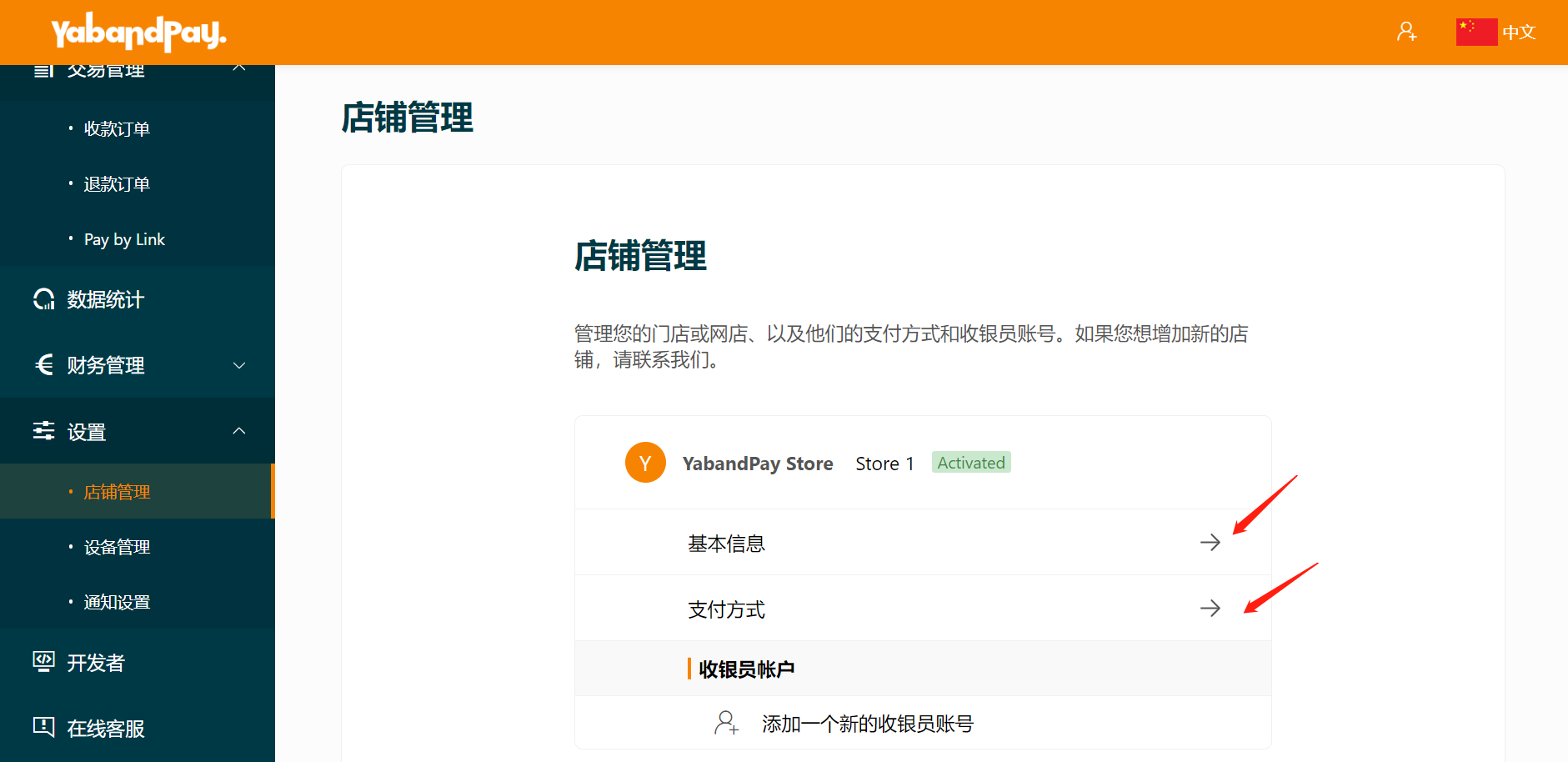
- Click Einstellungen > Filialverwaltung.
- Click Grundlegende Informationen to view basic details such as the store name, nickname, address, and order currency.
- Click Zahlungsmethoden to manage payment methods, view transaction fees, and configure fees charged to customers.
To add a new store, contact the YabandPay customer support team for assistance.
Kassiererkonten
Each store must have at least one Kassiererkonto to accept payments.
Kassiererkontos can log in to the YabandPay merchant portal or the YabandPay App and generate payment links. However, their permissions are limited to viewing and managing transaction details under their own account.
Administrators and Operators can manage or add Kassiererkontos as follows:
- Click Einstellungen > Filialverwaltung.
- Click an existing Kassiererkonto or Add a New Kassiererkonto.