YABANDPAY · DOCUMENTATION
Order Currencies
Configure the order currencies supported by a store and distinguish them from the settlement currency agreed in your contract.
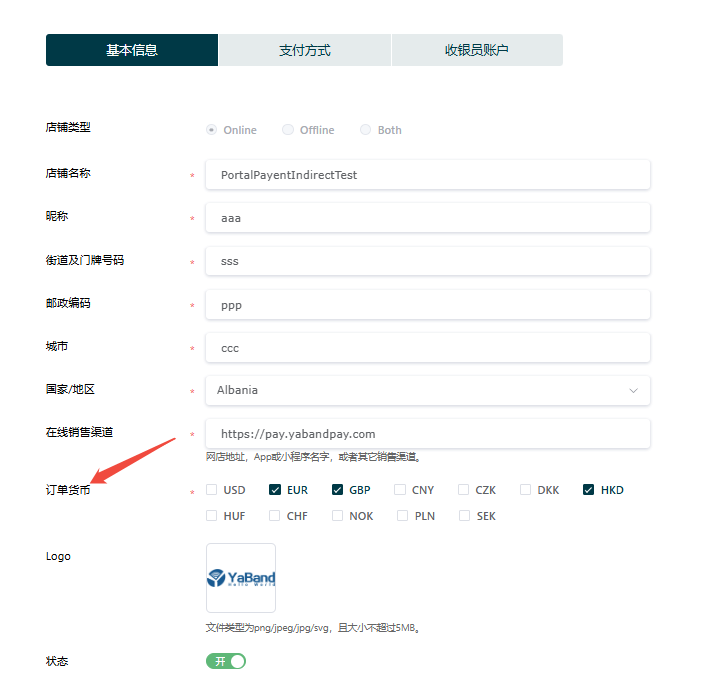
You can configure and manage order currencies in the YabandPay merchant portal.
Order currency is the currency your customer uses to pay for an order. It is not the settlement currency, which is agreed in the contract and cannot be changed.
- Go to Settings > Store Management.
- Select the store to configure and open Basic Information.
- Under Order Currency, select the currencies to add.
- Select Save.