
YABANDPAY · DOCUMENTATION
07 Personal details and identity documents
Check names, residence, document validity and PEP details, ensuring files belong to the correct person.
Confirm the person and applicable role
The original step is titled Upload director documents. Confirm the current person and role before entry. The source does not explicitly require documents from every director and does not show role-selection controls.
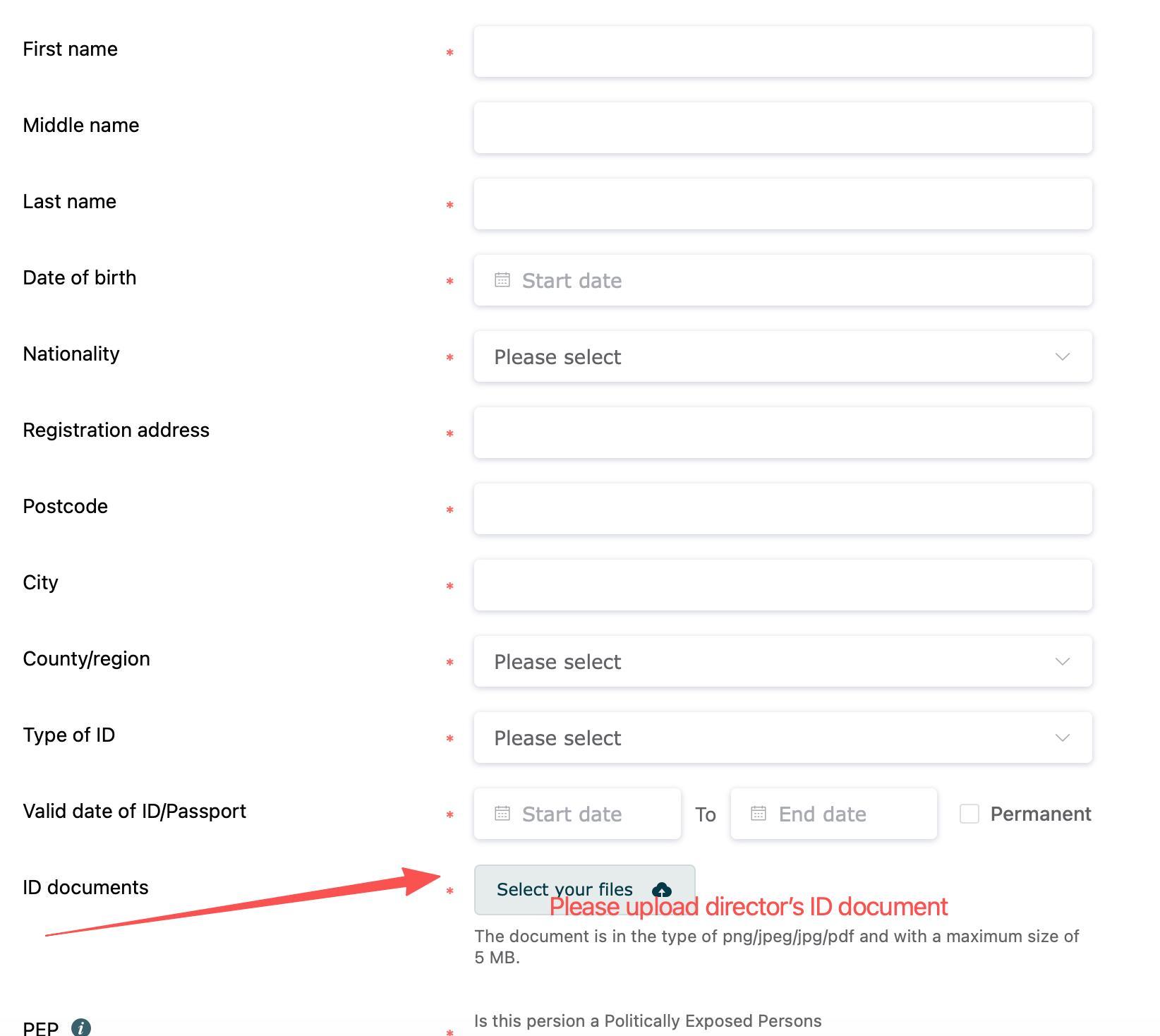
| Field | What to enter and check |
|---|---|
| First / middle / last name | Enter each part as shown on the document. The screenshot marks first and last names as required but not middle name. Follow the portal's permitted treatment when there is no middle name. |
| Date of birth / nationality | Match the identity document and use the date format shown. |
| Residential address | Enter the person's actual residential address, postcode, city and country/region. Do not automatically use the company address. |
| Document type | Match the uploaded file. Passport is an example, not proof that only passports or every form of identity document are accepted. |
| Document validity | Check start and end dates. Select Long-term validity only when applicable to the document and allowed by the portal. |
| Identity-document upload | PNG / JPEG / JPG / PDF, ≤5MB. The photograph, name, number and validity dates must be legible. Follow current requirements for the sides or pages needed. |
| PEP (politically exposed person) | Select Yes / No according to the live explanation and the person's actual circumstances. Consult field help or the onboarding team if uncertain; do not default to No for convenience. |
Work person by person, checking name → role → corresponding document, to avoid mixing files between people.
Check before continuing: Personal details and documents agree, document type and validity are correct, files belong to the current person, and residence and PEP information are accurate.