
YABANDPAY · DOCUMENTATION
01 Create a company account
Register using actual company information and check contact details, authorisation and account information.
Registration entry and steps
Path: Registration link supplied by the onboarding team → Create a company account.
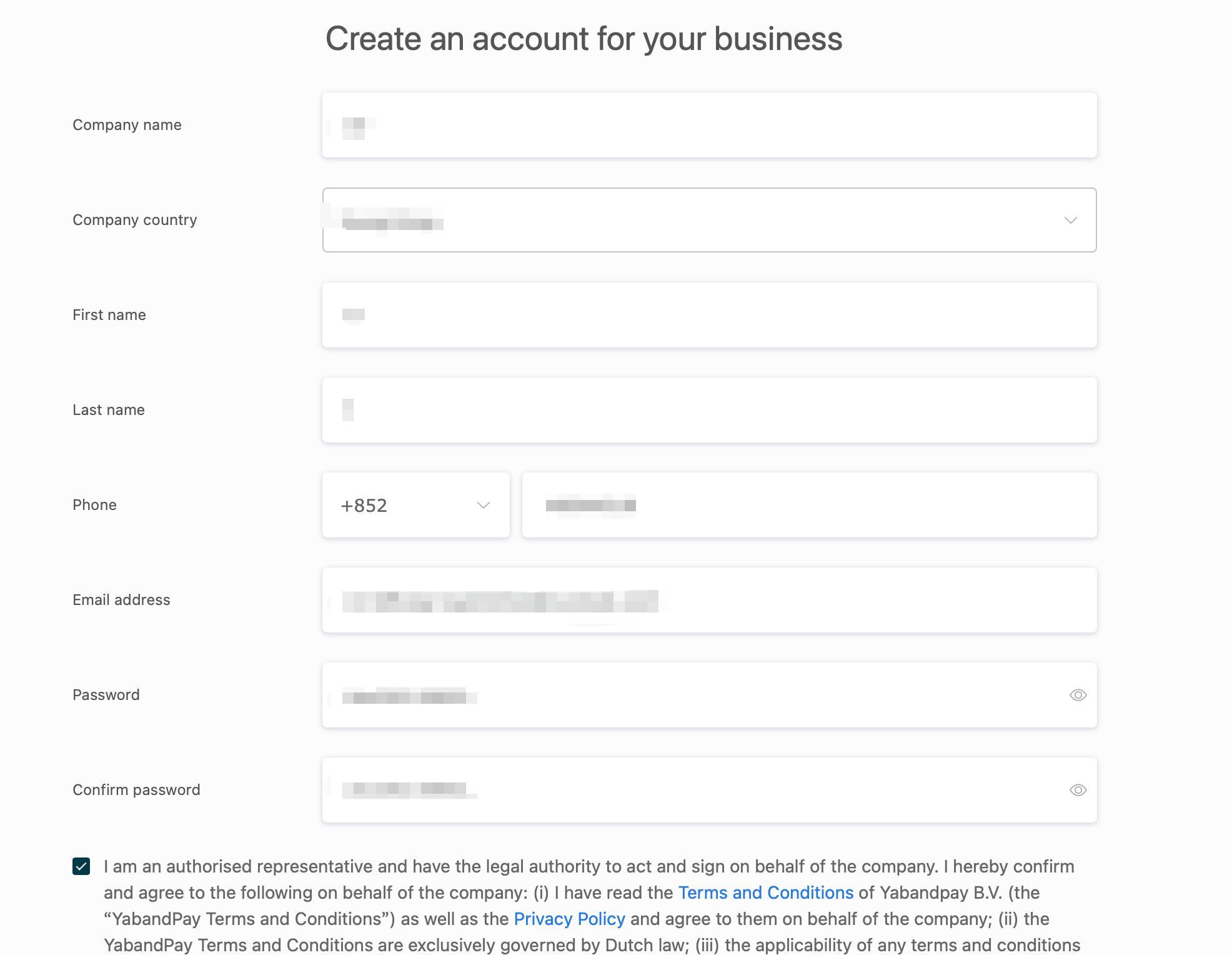
Screenshots are source examples, not a live portal view. Do not copy the example data.
- Open the registration page supplied by the onboarding team and check the page and company entity.
- Enter the company name, country/region of registration, contact first and last names, phone number and account email.
- Set and repeat the password, making sure both entries match. Follow the current page's password rules.
- Read the terms, privacy policy and authorised-representative declaration. Only confirm and continue when you are authorised to act for the company and agree to them.
| Field | What to check |
|---|---|
| Company name / registration country | Use the formal name on the registration document and the company's registration country/region, rather than the contact person's location. |
| First / last name | Enter the operator's names separately. English spelling should match the identity document. |
| Phone number | Check the country/region code and number, ensuring the responsible person can be reached. |
| Account email | Prefer a long-term, company-managed email address and check its spelling. |
| Authorisation and terms | If you are not authorised to act for the company, have the company appoint the appropriate operator first. |
Items to confirm
The source does not provide a verified registration URL or show email activation, SMS verification or the final registration button. If these steps appear, follow the live page rather than guessing an entry point from this guide.
Check before continuing: Company and contact details are correct, email and phone are usable, and registration is complete according to the live page so you can enter the portal.