
YABANDPAY · DOCUMENTATION
03 Company details and registration certificate
Enter company information from official registration documents and upload the matching certificate.
Enter registration information
Path: Complete information → Company information → Basic information.
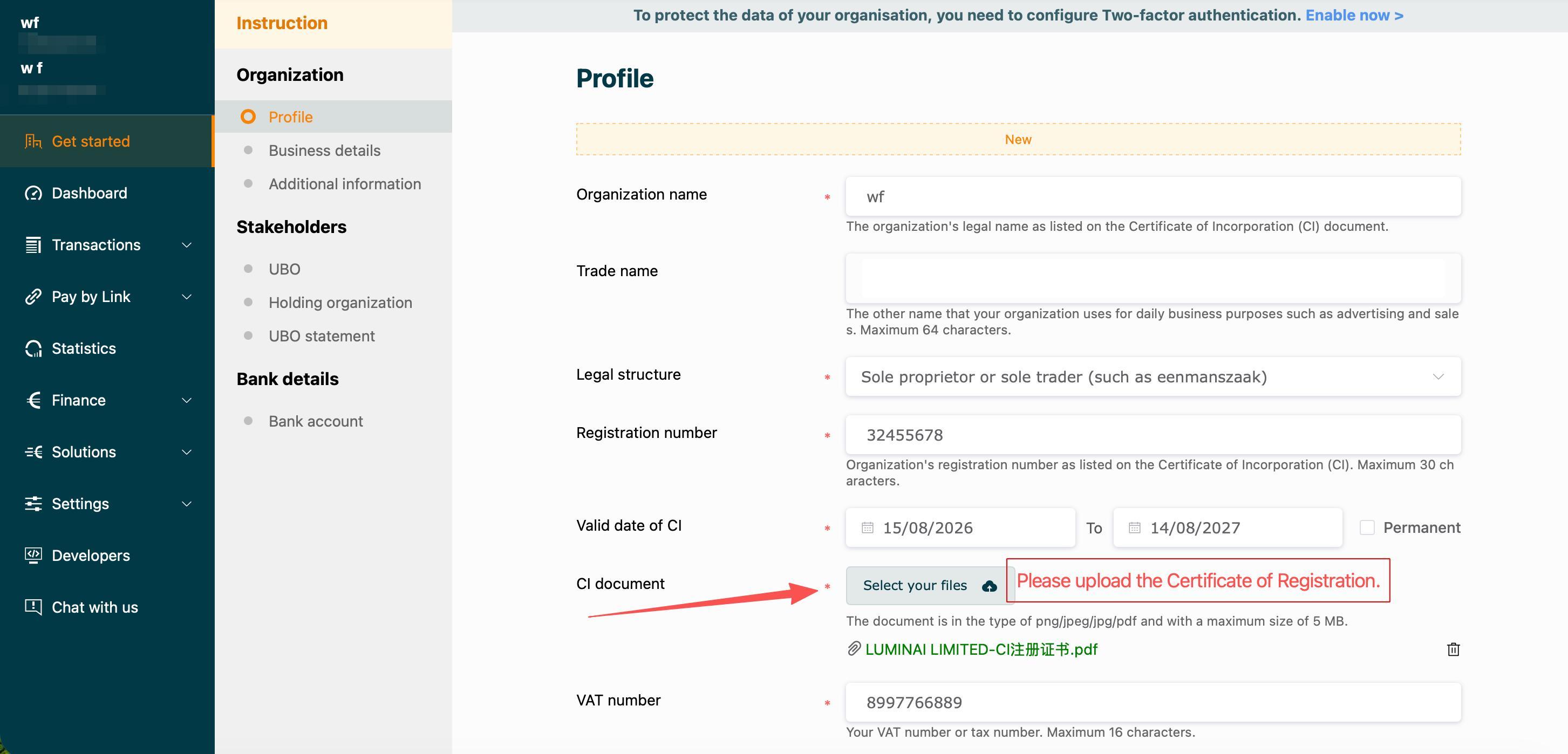
| Field | Instructions |
|---|---|
| Company name | Use the legal name on the certificate of incorporation (CI), including the full entity name and suffix. |
| Trade name | Enter the trading or brand name used in daily business, up to 64 characters. It does not replace the legal company name. |
| Legal form | Select the actual form in the registration documents. Sole proprietor or sole trader is only the screenshot example. |
| Registration number | Check every letter, digit, leading zero and necessary symbol. |
| Certificate validity | Enter the start and end dates according to the certificate and portal instructions. Select Long-term validity only when genuinely applicable. Ask the onboarding team if the document has no validity dates. |
| VAT number | Enter the company's actual VAT or local tax number. Confirm the correct treatment if it is inapplicable or has not yet been issued. |
Upload the registration certificate
- Select Choose file beside Registration certificate.
- Choose the current company's PNG, JPEG, JPG or PDF file, ≤5MB.
- Once the file appears, check its name and company. Use the page's remove or replace action if it is incorrect.
- Complete any Save, Continue or Submit action shown. Selecting a file alone may not save it.
Check before continuing: The name, number, legal form and document agree; dates have not been copied from the example; the upload is correct and no error is displayed.